


The Nvidia Shield TV is a versatile streaming media player that goes beyond just providing entertainment. With its powerful hardware and user-friendly interface, it opens up a world of possibilities beyond streaming your favorite shows and movies.
In this article, we’ll explore some cool things you can do with your Nvidia Shield TV, transforming it into a hub for entertainment, gaming, and even productivity.
Table of Contents
Things to Do with Nvidia Shield TV
1. Gaming Galore
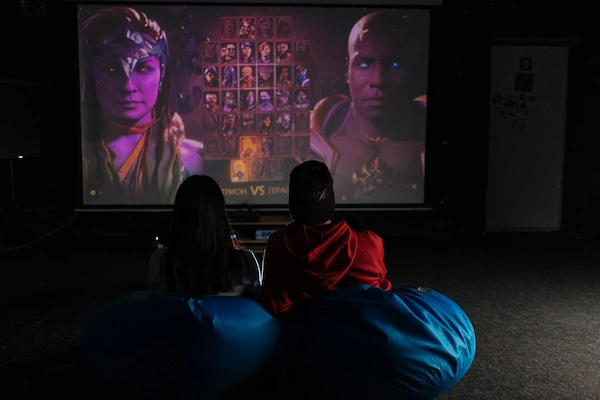
One of the standout features of the Nvidia Shield TV is its gaming capabilities. Thanks to Nvidia’s cutting-edge hardware, you can transform your Shield TV into a gaming console.
The device supports a wide range of games, from casual titles to more demanding ones. You can access popular gaming platforms like GeForce Now, where you can stream and play PC games directly on your Shield TV, even if your computer isn’t up to the task.
2. Embrace Retro Gaming
If you’re feeling nostalgic, the Nvidia Shield TV can help you relive the golden era of gaming.
By using emulators and ROMs, you can play classic games from consoles like the NES, SNES, and even older arcade systems. This opens up a whole new world of gaming, allowing you to experience the games you grew up with or explore titles you might have missed.
3. Smart Home Control
The Nvidia Shield TV isn’t just about entertainment; it can also be a central hub for your smart home. With its built-in Google Assistant support, you can control compatible smart devices using voice commands.
Adjust the lights, change the thermostat, or even check who’s at the front door using just your voice and the Shield TV remote. It’s a convenient way to streamline your smart home management.
4. Media Server
Do you have a collection of movies, TV shows, or personal videos? The Nvidia Shield TV can serve as a media server, allowing you to store and access your content from various devices within your home network.
By using apps like Plex or Kodi, you can organize and stream your media collection effortlessly. This turns your Shield TV into a personal entertainment hub, accessible from anywhere in your house.
5. Stream Games from Your PC
Apart from cloud gaming services, the Nvidia Shield TV allows you to stream games directly from your gaming PC to your TV.
By using Nvidia’s GameStream technology, you can play your PC games on the big screen without needing a separate long HDMI cable or moving your PC to the living room. This is a fantastic way to enjoy your PC games while sitting comfortably on your couch.
6. High-Quality Streaming

Of course, streaming media is what the Shield TV was initially designed for, and it excels at it. With support for 4K HDR content and a plethora of streaming apps like Netflix, Amazon Prime Video, and more, you can enjoy a stunning visual experience right in your living room.
The device’s AI upscaling technology can even enhance lower-resolution content to look better on your 4K TV.
7. Side-Load Apps
While the official app store provides a good selection of applications, you’re not limited to just those.
The Nvidia Shield TV runs on Android TV, which means you can side-load apps from the Google Play Store or even install APK files manually.
This opens up a world of possibilities, allowing you to customize your device and add apps that might not be available through the official channels.
8. Productivity on the Big Screen
Surprisingly, the Nvidia Shield TV can also be used for productivity tasks. With apps like Microsoft Office Suite, Google Workspace, and note-taking apps, you can turn your TV into a makeshift workstation.
While it might not replace a traditional computer setup, it’s useful for quick edits, presentations, or accessing documents when your main computer is unavailable.
9. Virtual Reality Experience
If you own an Nvidia Shield TV and a compatible Nvidia graphics card, you can also dip your toes into the world of virtual reality.
By using the Nvidia GameStream technology mentioned earlier, you can stream VR content from your PC to the Shield TV and experience virtual reality without needing an expensive VR headset.
10. Customize the Interface

Personalization is key, and the Nvidia Shield TV allows you to customize its interface to suit your preferences. You can rearrange apps, add shortcuts, and even change the wallpaper. This way, you can make your Shield TV feel like a true extension of your personality and style.
End Note
In conclusion, the Nvidia Shield TV offers far more than just streaming content. With its gaming capabilities, smart home integration, media server functionality, and various other features, it’s a versatile device that can transform your living room into a hub for entertainment, productivity, and more.
So, whether you’re a gamer, a movie buff, or a tech enthusiast, the Nvidia Shield TV has something exciting to offer.
