


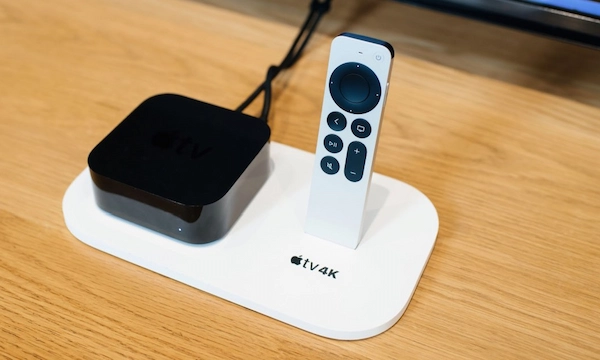
Apple TV 4K is a powerful media streaming device that brings a vast array of entertainment options to your television. With its sleek design and impressive capabilities, it has become a popular choice for consumers seeking an enhanced entertainment experience.
One of the key aspects that keeps the Apple TV 4K up-to-date and efficient is its software updates. In this article, we’ll explore the importance of Apple TV 4K software updates, the benefits they bring, and some important things to know about keeping your device running smoothly.
Table of Contents
The Significance of Apple TV 4K Software Updates

Software updates are a crucial aspect of any electronic device, and Apple TV 4K is no exception. These updates are designed to improve the overall performance, security, and stability of the device.
Apple continuously works on enhancing the user experience and adding new features to their products, and these updates ensure that your Apple TV 4K stays at the cutting edge of technological advancements.
1. Performance Enhancements:
Each software update for Apple TV 4K comes with performance enhancements that optimize the device’s speed and responsiveness.
With regular updates, you’ll experience smoother navigation and quicker access to your favorite apps and content. These performance tweaks keep your device running efficiently, providing you with an enjoyable entertainment experience without any lag or slowdowns.
2. Bug Fixes and Stability:
Software updates address known issues and bugs that might have been present in the previous versions. By resolving these problems, Apple ensures that your Apple TV 4K remains stable and reliable.
Stability is vital, especially when you’re streaming content or playing games, as it reduces the likelihood of crashes or unexpected interruptions. That’s why Apple pushes updates on a regular basis to make their devices more stable.
3. Security Improvements:
Security is a top priority for Apple, and software updates play a crucial role in maintaining a secure environment for your device. These updates include the latest security patches that safeguard your Apple TV 4K against potential vulnerabilities and cyber threats.
Regularly updating your device ensures that you have the most robust protection against malware and other security risks.
Things To Know About Apple TV 4K Software Updates:
1. Automatic Updates:
Apple TV 4K can be set to receive automatic software updates. With this feature enabled, your device will download and install updates in the background, ensuring that you always have the latest improvements without any manual intervention. To enable automatic updates, go to “Settings,” then “System,” and finally, “Software Updates.”
2. Manual Software Updates:
If you prefer to have more control over when updates are installed, you can choose to update your Apple TV 4K manually. Whenever an update is available, you’ll receive a notification on your screen. Simply go to “Settings,” then “System,” and select “Software Updates” to check for and install updates manually.
3. Internet Connection Required:
To download and install software updates on your Apple TV 4K, you’ll need an active internet connection. Ensure that your device is connected to Wi-Fi or an Ethernet cable to access the latest updates from Apple.
4. Check Update Status:
If you’re unsure whether your Apple TV 4K is up to date, you can verify its software version in the settings. Go to “Settings,” then “System,” and select “Software Updates.” Here, you’ll see the current software version installed on your device and whether there are any pending updates.
5. Stay Updated for New Features:

Apple often introduces exciting new features through software updates. By keeping your Apple TV 4K updated, you’ll have access to the latest functionalities and improvements that enhance your overall viewing experience.
Conclusion
Apple TV 4K software updates are a vital aspect of maintaining the device’s performance, security, and functionality. Regularly updating your Apple TV 4K ensures that you stay current with the latest advancements and enjoy a seamless and secure entertainment experience.
Whether you opt for automatic updates or prefer manual control, keeping your Apple TV 4K up to date is a simple but essential practice for every user. Embrace these updates, and your Apple TV 4K will continue to provide you with endless entertainment for years to come.
