


As we continue to evolve into a more digital society, streaming devices have become commonplace in our living rooms. One such device, the Roku Streambar Pro, provides a seamless blend of high-quality audio and video streaming. While it’s generally reliable, you might encounter a few hiccups along the way that necessitates Roku Streambar Pro troubleshooting. This article will serve as your comprehensive guide, covering various issues you might encounter, and providing step-by-step solutions.
Table of Contents
Understanding Roku Streambar Pro Troubleshooting
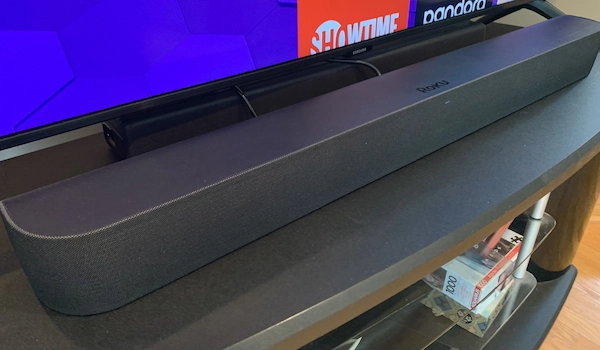
Before diving into specific problems and their resolutions, it’s crucial to understand what Roku Streambar Pro troubleshooting entails. It involves identifying and resolving technical issues that may hinder the optimal performance of your Roku Streambar Pro. Remember to double-check the device’s setup – a misstep in the initial installation process could be the source of the problem.
Issue 1: The Streambar Doesn’t Power On
Picture this: You’ve settled in for a cozy movie night, but your Roku Streambar Pro isn’t turning on. Begin your Roku Streambar Pro troubleshooting by ensuring the device is plugged into a working power outlet. If there’s no sign of life yet, consider trying a different power outlet to rule out any issues with the outlet itself. As a final measure, you might need to conduct a factory reset, but bear in mind that this will erase all your preferences and data.
Issue 2: Sound or Picture Quality Issues

Experiencing poor sound or picture quality can be a frustrating roadblock, especially when you’re all set for your favorite show. For Roku Streambar Pro troubleshooting in this scenario, start by cross-verifying the settings on your TV and Streambar Pro. Make sure they are in line with the specifications of the content you’re trying to watch. If the problem persists, consider switching HDMI ports or cables as these can sometimes be the culprit.
Issue 3: Remote Connectivity Issues
A non-responsive remote is yet another hurdle you might encounter during Roku Streambar Pro troubleshooting. Start by checking if the batteries need replacing. If the batteries are fine, consider resetting your remote. If the issue persists, re-pairing the remote with your Streambar Pro might be necessary.
Issue 4: Streaming Issues or Buffering
Streaming issues or buffering are typically linked to problems with your internet connection. Check if your Wi-Fi signal strength is up to par or if there are any issues with your internet service provider. Sometimes, simply restarting your Wi-Fi router can help alleviate the problem.
Issue 5: Error Messages or Software Glitches
At times, your Roku Streambar Pro may display frequent error messages or experience software glitches. The first step in Roku Streambar Pro troubleshooting for such issues is performing a system restart. If the problems persist, a software update might be required to correct any underlying issues.
Issue 6: Application-Specific Problems
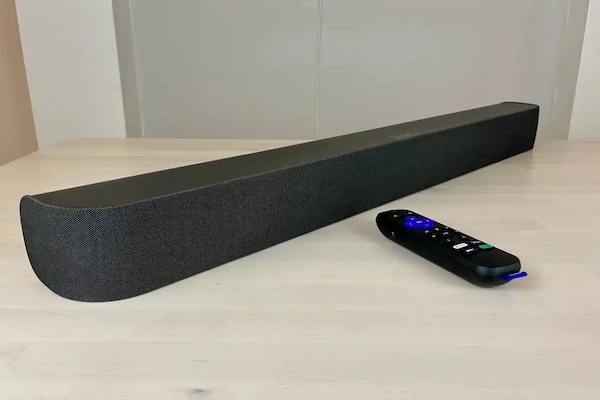
Occasionally, you might encounter problems that only occur while using specific apps. This could range from the app crashing frequently, not loading properly, or displaying other erratic behavior. In these cases, Roku Streambar Pro troubleshooting might involve removing the problematic app and then re-installing it.
Final Thoughts on Roku Streambar Pro Troubleshooting
The Roku Streambar Pro is a stellar device, offering excellent sound and comprehensive streaming capabilities. Even though there might be instances where troubleshooting is necessary, rest assured that most issues are easy to resolve with the right approach. Roku also provides robust support services to assist you in these scenarios.
In conclusion, understanding the basics of Roku Streambar Pro troubleshooting can help you navigate and quickly resolve any issues that might crop up, ensuring you get back to enjoying your favorite shows and movies in no time. Always ensure your device has the latest software updates and is correctly configured according to the manufacturer’s guidelines.
